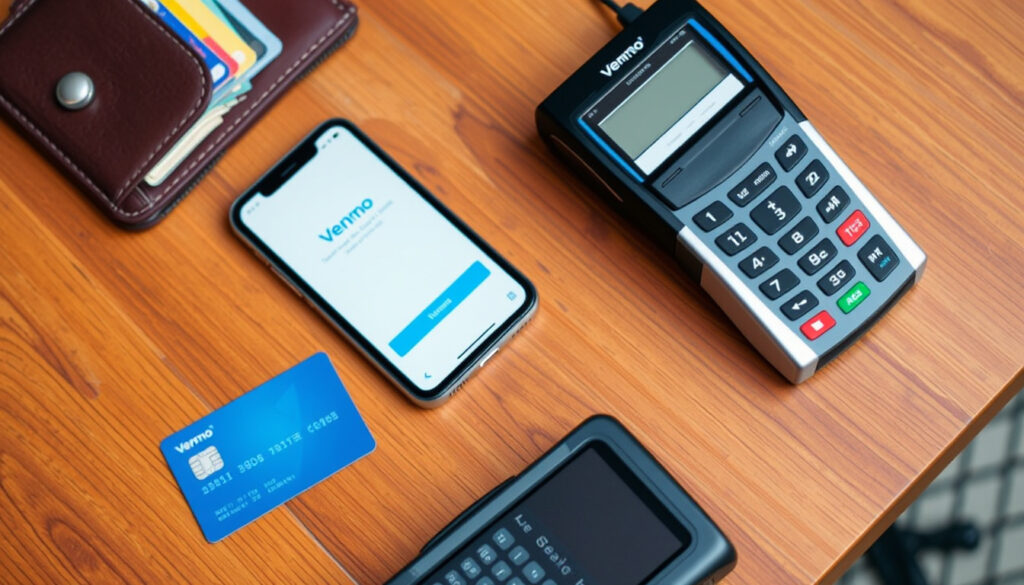
How to Add Money to Venmo: Bank, Debit, Cash & PayPal Methods
Anyone who’s tried to add money to Venmo for the first time knows the feeling: you open the app, see the balance, and wonder where the “Add Money” button is hiding. It’s there, but the path depends on whether you’re using a bank account, a debit card, or cash.
Methods to add money to Venmo: Bank transfer, debit card, cash at stores, PayPal ·
Fee for cash deposit at store: $3.74 ·
Standard transfer from bank time: 1-3 business days ·
Instant transfer availability: Yes, from debit card or linked bank (with fee) ·
Cash add locations: Walmart, 7-Eleven, CVS, Walgreens, Dollar General
Quick snapshot
- Adding money from a linked bank account is free (Venmo Fees)
- Cash deposit at stores costs $3.74 per transaction (Venmo Help Center – Add Cash in Stores)
- Standard bank transfers take 1-3 business days (Venmo Help Center – Standard Bank Transfers)
- Instant transfers from debit cards cost 1.75% (min $0.25, max $25) (Venmo Help Center – Instant Transfer)
- Exact list of prepaid debit cards that work without a bank account — varies by issuer and may require testing.
- Specific reasons for a missing “Add Money” button in some accounts — often requires contacting Venmo support to resolve.
- Which specific banks have compatibility issues that block linking to Venmo — varies and may depend on account type.
- Standard bank transfer: 1-3 business days (Venmo Help Center – Standard Bank Transfers)
- Instant transfer to bank or debit card: typically within 30 minutes (Venmo Help Center – Instant Transfer)
- Venmo continues to expand retail partners for cash deposits — currently Walmart, 7-Eleven, CVS, Walgreens, Dollar General. (Venmo Fees)
- Check loading via app (payroll/government checks) is available but carries fees of 2% to 5% (Venmo Fees)
Here is a quick reference table of the key costs and limits across all funding methods.
| Item | Value |
|---|---|
| Standard transfer fee | Free |
| Instant transfer fee | 1.75% (min $0.25, max $25) |
| Cash deposit fee at stores | $3.74 |
| Max cash deposit per day | $500 (varies by store) |
| Max cash deposit per month | $1,500 |
| Debit card instant transfer limit | $10,000 per week |
How can I add money to Venmo?
Adding money from a linked bank account
- Open the Venmo app and tap the Me tab (the icon with your picture or initials).
- Tap Add Money, then select From a bank.
- Enter the amount you want to transfer (minimum $0.01, maximum $5,000 per transfer).
- Confirm the transfer. Standard transfers arrive in 1-3 business days and are free.
Verified users can send up to $19,999.99 per rolling week from their bank. Unverified users are capped at $999.99 per week.
Adding money from a debit card
- In the same Me tab, tap Add Money and choose From a debit card.
- Enter the amount and confirm. The money will appear instantly if you use the instant transfer option, which costs 1.75% (min $0.25, max $25).
- You can also choose a standard transfer (free, 1-3 business days) if you don’t need the funds immediately.
The catch: Instant transfers from a debit card are subject to a weekly limit of $10,000.
Why is there no add money option on Venmo?
Common reasons the Add Money button is missing
- Account verification incomplete: You may need to provide your full name, date of birth, and the last 4 digits of your SSN to unlock the Add Money feature.
- App version or cache issue: An outdated app or corrupted cache can hide the button. Try updating the app or clearing the cache in your phone settings.
- Region or age restrictions: Venmo is only available in the U.S., and users under 18 cannot use the full feature set.
Reddit users have reported that the missing button often resolves after contacting Venmo support (Reddit community discussions).
How to fix the missing Add Money option
- Update the Venmo app to the latest version from the App Store or Google Play.
- Log out of the app, restart your phone, and log back in.
- If the button is still missing, go to Settings > Identity Verification and complete any outstanding steps.
- Contact Venmo support via the app’s help center. They can check for account-specific restrictions.
What this means: The missing button is usually a minor glitch or verification gap, not a permanent block. Most users get it back within a few hours of troubleshooting.
What stores can I add cash to Venmo?
List of retail partners for cash deposits
- Walmart
- 7-Eleven
- CVS
- Walgreens
- Dollar General
You can deposit between $20 and $500 per transaction, with a $3.74 fee each time.
How to add cash at a store using your Venmo Debit Card
- Get a Venmo Debit Card (free, order through the app).
- Go to a participating store and tell the cashier you want to add cash to your Venmo account.
- Hand them your Venmo Debit Card and the cash. The cashier will process the deposit.
- The fee ($3.74) is deducted from the amount you add. So if you add $100, you’ll receive $96.26 in your Venmo balance.
Limits: You can do up to 3 transactions per rolling 24 hours (max $999.99 total), 7 per week (max $3,000), and 20 per month (max $4,000).
Note: If you deposit more than $300, the cashier may ask for an ID matching the name on your Venmo Debit Card.
Cash deposits are the most expensive way to fund Venmo: $3.74 is a flat fee regardless of amount. For a $20 deposit, that’s an 18.7% fee. For a $500 deposit, it’s 0.75%. The economics only make sense for larger amounts or users without a bank account.
Can I add money to Venmo from PayPal?
Direct transfer between PayPal and Venmo
No, there is no direct way to add money from PayPal to Venmo. Both are owned by the same parent company (PayPal Holdings), but they operate as separate wallets with no internal transfer option.
Workaround: transferring from PayPal to bank to Venmo
- Withdraw money from your PayPal balance to your linked bank account (free if you use standard transfer, 1-3 business days).
- Once the money is in your bank account, open Venmo and add money from that bank account (free standard transfer, 1-3 business days).
- Total time: 2-6 business days. Total cost: $0 (if you use standard transfers on both ends).
You can optionally use instant transfers from PayPal to bank (1.75% fee) and then from bank to Venmo (free standard), but that defeats the cost-saving purpose.
How to add money to Venmo without a bank account
Using a debit or prepaid card
You can add money from a Visa, Mastercard, or Discover debit card even if it’s not linked to a bank account. Prepaid cards from major issuers (e.g., NetSpend, Green Dot) typically work. Simply follow the debit card steps above. Instant transfer fees apply if you want immediate access.
Adding cash at a retail store
This is the most straightforward option for unbanked users. You need a Venmo Debit Card and a participating retailer. The $3.74 fee is a hurdle, but it’s the only way to turn physical cash into Venmo balance.
Receiving money from others
You don’t need to add money if you can receive it. Request payments from friends, sell items, or get paid for services. Once someone sends you money, it’s available in your Venmo balance with no fee.
For users without a bank account, the combination of cash deposits and receiving payments from others can cover most needs.
How much does it cost to send $100 through Venmo?
Standard transfer fees
- If you send $100 from your Venmo balance (funded by bank or debit card) to someone else’s Venmo balance: free.
- If you send $100 from a credit card: 3% fee = $3.00.
Instant transfer fees
- If you need to move $100 from your Venmo balance to your bank account instantly: 1.75% fee = $1.75 (min $0.25, max $25).
Comparison with PayPal costs
Here is how Venmo and PayPal fees stack up against each other for a $100 send.
| Scenario | Venmo fee | PayPal (Friends & Family) fee |
|---|---|---|
| Send $100 from bank account | Free | Free |
| Send $100 from debit card | Free | Free |
| Send $100 from credit card | $3.00 (3%) | $2.90 (2.9% + $0.30) |
| Instant transfer of $100 to bank | $1.75 (1.75%) | $1.75 (1.75%) |
Six scenarios, one pattern: Venmo and PayPal fees are nearly identical for most transactions. The real difference is in user experience and ecosystem — Venmo is social, PayPal is professional. Neither is cheaper for the basic use case.
For a $100 transfer, the cheapest route is always from a bank or debit card to another Venmo user — that’s free. The moment you use a credit card or need instant access, the fees kick in. Users who plan ahead avoid the instant transfer fee entirely.
Step-by-step: How to add money to Venmo (quick guide)
- From a bank account: Me tab > Add Money > From a bank > Enter amount > Confirm. Free, 1-3 days.
- From a debit card: Me tab > Add Money > From a debit card > Choose instant (1.75% fee) or standard (free, 1-3 days).
- Cash at a store: Get Venmo Debit Card > Visit Walmart, 7-Eleven, CVS, Walgreens, or Dollar General > Tell cashier > Pay $3.74 fee.
- From PayPal: Withdraw to bank > Then add from bank to Venmo. Free but takes 2-6 business days.
Clarity: Facts vs. uncertainty
Confirmed facts
- Venmo allows adding money via bank transfer, debit card, and cash at stores.
- Cash deposit at stores requires a Venmo Debit Card and costs $3.74 per transaction.
- Standard bank transfers are free and take 1-3 business days.
- Instant transfers from debit cards cost 1.75% of the amount.
- Adding money directly from PayPal to Venmo is not supported.
What’s unclear
- Exact list of prepaid cards that work without a bank account (varies by issuer).
- Specific reasons for missing Add Money button in some accounts (may require contacting support).
- Which banks have compatibility issues that prevent linking to Venmo (varies and may depend on account type).
- How long Venmo support takes to resolve account-specific Add Money issues (reports range from hours to days).
- Whether all prepaid card issuers like NetSpend and Green Dot consistently work without a bank account (may require testing each card).
Quotes from the community
Adding money from a linked bank account is free. Standard transfers generally arrive within 1-3 business days.
— Venmo Help Center (Venmo Support – Bank Transfers)
To add cash at a store, you need a Venmo Debit Card. The fee is $3.74 per transaction.
— Venmo Help Center (Venmo Support – Add Cash in Stores)
I couldn’t find the Add Money button anywhere. After updating the app and verifying my identity, it appeared.
— Reddit user community (r/venmo discussions)
Summary
Adding money to Venmo is straightforward once you know which method fits your situation. Bank transfers and debit cards are free and fast enough for most users. Cash deposits work for the unbanked but carry a $3.74 fee. PayPal-to-Venmo transfers require a bank account as middleman. For the average user who already has a bank account, the choice is simple: use the free standard transfer and plan ahead. For the 7% of U.S. adults who are unbanked, the cash deposit route is the only option, and the $3.74 fee is a necessary cost of participation.
venmo.com, youtube.com, ibtimes.com, cgaa.org, paycec.com, gobankingrates.com, storyframex.com, youtube.com
Frequently asked questions
How do I add money to Venmo without a debit card?
You can add cash at a store using your Venmo Debit Card (requires applying for the card first). Alternatively, receive money from others or use a linked bank account.
Can I add money to Venmo with a credit card?
Yes, but Venmo treats credit card payments as purchases and charges a 3% fee. You can also add money to your Venmo balance from a credit card using the “Add Money” feature, but that also incurs the 3% fee.
Is there a limit on how much money I can add to Venmo?
Yes. Bank transfers: $5,000 per transfer, $19,999.99 per week (verified users). Cash deposits: $500 per day, $1,500 per month. Instant transfers from debit card: $10,000 per week.
Why is my Venmo balance not showing the added money?
Standard bank transfers take 1-3 business days. Check your bank account to confirm the transfer was initiated. If it’s been longer, contact Venmo support.
How long does it take for money to appear in my Venmo balance from a bank transfer?
Standard transfers: 1-3 business days. Instant transfers: typically within 30 minutes.
What should I do if the Add Money option is grayed out?
Update the app, verify your identity, and try restarting your phone. If it persists, contact Venmo support.
More related posts
 Where to Watch Texans vs. Pittsburgh Steelers 2026: TV & Streaming
 Jon Voight Movies and TV Shows: Complete Guide to His Career
 Where Is Caitlin Clark From? Hometown and Background
 Whole Life Insurance Policy: Cost, Pros/Cons & Expert Insights
 What Kind of Moon Is It Tonight? Current Phase and Facts
 Swimming Classes for 4 Year Olds: Age & Timelines
 Secret of the Mimic – Guide to Gameplay, Secrets and Lore
 And Just Like That Cancellation: Final Season & Cast Conflicts