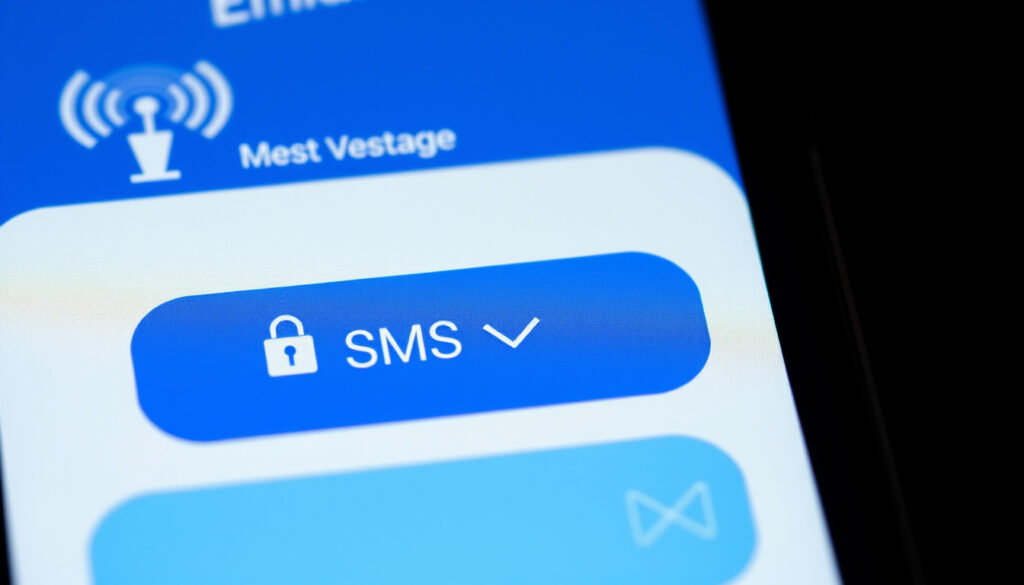
What Does SMS Mean in Texting? Definition, Delivery & Security
You tap send, and the bubble turns green instead of blue. A tiny label appears: “Sent as SMS.” If you’ve ever wondered whether that means you’re blocked or just hit a technical glitch, you’re not alone. SMS is the oldest, most universal text protocol on your phone, and it still powers billions of messages every day.
SMS messages sent daily worldwide (2025 estimate): over 5 billion ·
Character limit per single SMS: 160 characters ·
First SMS sent: December 3, 1992 ·
Percentage of smartphones that support SMS: 99% ·
Standard SMS delivery success rate: over 97%
Quick snapshot
- SMS = Short Message Service (AWS cloud platform definition)
- Standard for text messages since 1992 (AWS cloud platform definition)
- Works on any mobile phone without internet (AWS cloud platform definition)
- Default for all text messages when data is off
- Fallback when iMessage or RCS fails
- Used by businesses for alerts and verification
- 160 characters per message
- No media support (use MMS for images)
- Not encrypted by default
- Replying doesn’t hack your phone automatically
- Scammers use SMS to phish for personal data
- SMS is less secure than encrypted messaging apps
Six quick facts that define SMS today:
| Label | Value |
|---|---|
| Full form | Short Message Service |
| First SMS sent | December 3, 1992 |
| Maximum characters per SMS | 160 |
| Daily SMS volume (global) | Over 5 billion |
| Typical delivery success rate | Over 97% |
| Encryption by default | No |
What does SMS mean in texting?
How SMS works on mobile networks
- SMS stands for Short Message Service. It is a text messaging service that allows short text messages between mobile devices, using standardized communication protocols — AWS cloud platform definition.
- Unlike apps like WhatsApp or iMessage, SMS does not require an internet connection. It travels through the cellular network’s signaling channel, the same pathway used for voice calls and network management.
- This means SMS works on any mobile phone, from a 1990s Nokia to the latest iPhone, as long as there’s a cellular signal.
SMS vs regular text message
- There is no difference. A “regular text message” on a phone that doesn’t use iMessage, RCS, or a third‑party app is an SMS message.
- When you see “text message” in your phone’s settings, it’s referring to SMS (and MMS for media).
- The term “SMS” is the technical name; “text message” is the everyday term. They are the same thing.
The implication: SMS is the silent backbone of texting. Every time your phone can’t use a data‑based messaging service, it falls back to this 30‑year‑old protocol — and it works.
SMS is not a sign of blocking or a second‑class message. It’s the universal fallback that guarantees your text will reach any phone, anywhere, without data. That reliability is exactly why businesses still use it for alerts and two‑factor codes.
What does “Sent as SMS” mean?
Why your phone switches to SMS
- “Sent as SMS” appears when the message was sent via the cellular network instead of a data‑based service like iMessage or RCS.
- On iPhones, iMessage uses the internet. If iMessage fails (no data, recipient offline, or the recipient isn’t on Apple), the iPhone automatically resends the message as SMS — turning the bubble green.
- On Android, RCS (Rich Communication Services) is the modern standard. When RCS is unavailable, the phone defaults to SMS/MMS.
- Carrier rules, spam filters, and recipient blocks can also force a message to be sent as SMS — TrueDialog enterprise messaging provider.
Does “Sent as SMS” mean blocked?
- No. “Sent as SMS” only tells you the transport method, not the recipient’s status.
- A blocked contact may still send an SMS, but the message will not appear in the recipient’s main inbox — Messente SMS API provider.
- On iPhone, a blocked contact’s iMessage may turn green (SMS) on the sender’s side, but that does not mean the message was delivered — Messente SMS API provider.
- Delivery status (Delivered/Read) is the real indicator. If you see “Sent as SMS” but no delivery receipt, it could mean the recipient’s phone is off, the number is invalid, or you’ve been blocked.
The catch: “Sent as SMS” is a technical detail, not a social signal. Look at delivery receipts, not bubble color, to know if your message got through.
What is the difference between SMS and MMS?
Character limits and media support
- SMS is limited to 160 characters of text. Longer messages are split into multiple SMS segments.
- MMS (Multimedia Messaging Service) supports images, video, audio, and longer text — up to several megabytes depending on the carrier.
- MMS requires a data connection or carrier MMS settings. SMS uses the signaling channel and works even without data.
- SMS is more universally compatible: every phone supports it. MMS can fail on older devices or when data is off.
When your phone switches between SMS and MMS
- Your phone automatically picks MMS when you attach a photo, video, or audio file. If MMS fails, some phones will send a link instead.
- Group messages often use MMS to deliver the same message to all recipients.
- Some carriers convert long SMS (over 160 characters) into MMS to avoid splitting, but this varies by provider.
Three features, one pattern: SMS is the minimalist workhorse, MMS is the media extender.
| Feature | SMS | MMS |
|---|---|---|
| Character limit | 160 per segment | Up to ~1,600 (carrier‑dependent) |
| Media support | Text only | Images, video, audio, GIFs |
| Requires data | No | Yes (or carrier MMS settings) |
| Encryption | None | None |
| Universal compatibility | Every phone | Most modern phones, but can fail |
The trade-off: SMS is slower and smaller, but bulletproof. MMS is richer but less reliable. Your phone chooses whichever gets the message through.
Does SMS mean I’m blocked?
Signs of being blocked vs delivery failure
- If you’re blocked, your message may still show as “Sent” on your phone, but you will not see a “Delivered” or “Read” receipt — Messente SMS API provider.
- On iPhone, a blocked contact’s messages may turn green (SMS) but never show “Delivered”. On Android, blocked messages often disappear without any notification to the sender.
- Carrier spam filters can also block messages without the recipient doing anything. A message can be blocked by the carrier based on sender behavior, message volume, or content — Bandwidth communications API provider.
How to tell if someone blocked your number
- One-ring calls: If you call and it rings once then goes to voicemail, that’s a common blocking indicator — but not definitive.
- Voicemail behavior: If you’re always sent to voicemail immediately, blocking is likely.
- No delivery receipt on texts: The most reliable sign. If your messages consistently show “Sent” but never “Delivered” over several days, you’re probably blocked.
- Carrier‑level blocking may show different error messages, such as “Message blocked” or “Number not in service” — TrueDialog enterprise messaging provider.
What this means: SMS alone doesn’t tell you if you’re blocked. Combine delivery receipts, call behavior, and voicemail patterns to get a clearer picture.
If you’re trying to reach someone you know and your messages consistently fail to deliver, don’t assume blocking. Check if you’ve been accidentally silenced, or if the recipient’s phone is off. The real frustration: carrier filters can block you without either party knowing.
Can you get hacked by replying to a text message?
Risks of replying to SMS from unknown senders
- Replying alone rarely installs malware. The act of sending a reply does not execute code on your phone.
- However, replying confirms your number is active and monitored, making you a target for further scams — Bank of North Dakota state government security guidance.
- Scammers use replies to begin a conversation, eventually tricking you into clicking a link or sharing personal information.
How scammers use SMS to gather information
- Smishing (SMS phishing) is a growing threat. Scammers send texts that appear to be from banks, delivery services, or government agencies, asking you to click a link or call a number.
- Messages containing links or attachments can deliver malware, similar to email phishing — Bank of North Dakota state government security guidance.
- Traditional SMS lacks encryption, making it easier for attackers to intercept messages if they have access to the telecom infrastructure — Bank of North Dakota state government security guidance.
- Security experts recommend avoiding sensitive information over SMS. Encrypted apps like Signal or WhatsApp are far more secure — LinkedIn security commentary.
The pattern: Replying to an SMS is not a hack, but it’s the first step on a path that leads to phishing and data theft. The real danger is in the link, not the reply.
Pros and cons of SMS
Upsides
- Works on every phone, no internet required
- Universal fallback when iMessage, RCS, or WhatsApp fails
- Used by banks and services for two‑factor authentication
- Delivery success rate over 97% — highly reliable
Downsides
- No encryption by default — messages can be intercepted
- 160 character limit per message
- No media support (use MMS for images)
- Vulnerable to smishing and carrier spam filters
Why this matters: SMS is the most accessible messaging system, but its lack of security makes it unsuitable for sensitive conversations. The convenience comes with a trade‑off: use SMS for everyday checks, but switch to encrypted apps for anything private.
How to check if you’re blocked or if it’s just delivery failure
- Send a text and look for a delivery receipt. On iPhone, “Delivered” appears below the message. On Android, check your messaging app’s info (long‑press the message). No receipt after a few minutes could mean blocking, phone off, or network issues.
- Call the person. If it rings normally and goes to voicemail, you’re likely not blocked. If it rings once then goes to voicemail, blocking is possible. If you get a fast busy signal, your number may be blocked by the carrier.
- Send a message from a different number. If you can borrow a friend’s phone, send a text from that number. If it goes through, your original number is probably blocked.
- Check your carrier’s spam settings. Some carriers have spam filters that block messages from unknown numbers. Log into your account or contact support.
- Wait 24 hours. Temporary network issues or phone‑off periods can cause delivery failure. If the problem persists, blocking is more likely.
The implication: Blocking is a last resort explanation. Before assuming the worst, rule out carrier issues, phone settings, and simple bad timing.
What experts say about SMS
SMS is a text messaging service component of most telephone, Internet, and mobile device systems.
SMS (Short Message Service) is a text messaging service that uses standardized communication protocols.
— AWS cloud platform definition
Seeing ‘Sent as SMS’ means the system successfully sent your message, but does not guarantee delivery.
Each source reinforces the same message: SMS is a reliable protocol, but “sent” is not the same as “delivered.”
Summary
SMS is the oldest, most universal text protocol, and it’s not going anywhere. It works when everything else fails, and that’s exactly why it’s still used for bank alerts, two‑factor codes, and business notifications. But its lack of encryption and vulnerability to phishing make it a poor choice for private conversations. For anyone who relies on texting for sensitive information, the choice is clear: use SMS for convenience, but switch to an encrypted app like Signal or iMessage for anything that matters.
reddit.com, touchsms.com.au, youtube.com, avg.com, vonage.com, indigitall.com
För den som undrar hur SMS förhåller sig till nyare teknik är det värt att titta närmare på det modernare RCS-protokollet.
Frequently asked questions
What does SMS stand for?
Short Message Service. It is the technical standard for sending text messages between mobile devices.
Is SMS the same as a text message?
Yes. “Text message” is the everyday term for SMS. They are the same thing.
Why did my text show “Sent as SMS”?
Your phone switched from a data‑based service (like iMessage or RCS) to the cellular network. This happens when the data service fails or is unavailable.
Does “Sent as SMS” mean the other person blocked me?
No. It only tells you the transport method. Check delivery receipts to see if your message was delivered.
What is the difference between SMS and MMS?
SMS is text‑only (up to 160 characters). MMS supports images, video, audio, and longer text, but requires a data connection.
Can someone hack my phone if I reply to their SMS?
Replying alone does not install malware. The risk is that scammers will use your reply to start a conversation and eventually trick you into clicking a malicious link.
Are SMS messages encrypted?
No. Traditional SMS messages are not encrypted by default. They can be intercepted through telecom infrastructure. For encrypted messaging, use apps like Signal, WhatsApp, or iMessage.
How can I tell if someone blocked my number?
Look for a combination of signs: no delivery receipt on texts, calls go straight to voicemail, and you cannot reach the person from your number but can from another number.
Related reading: T‑Mobile Home Internet Review: Plan, Pricing, and What to Know – a look at the carrier that powers your SMS. Screen Repair Near Me: Cost, Worth It, and How to Choose – because your phone is the device you use to send those texts.
More related posts
 June 2025 Social Security Payment Schedule: Dates and Max Benefits
 Long Island Iced Tea – Recipe, History and Strength
 Romans 12:12 – Meaning and Biblical Explanation
 How Long Does Shingles Last? Duration, Worst Days & Contagious Period
 Clippers vs Suns Player Stats | March 4, 2025
 Chicago Med: Where to Watch All 11 Seasons
 Chase Bank Juneteenth Closure 2025: Is Chase Open
 Liga MX Matches Today: Schedule, TV Channels & Play In Results